🚀 Get to pre-production in weeks, not months, with private training direct from Jube’s developer — real sovereignty, zero vendor lock-in.
Reprocessing Instance
To create a reprocessing request, ensure that the Reprocessing Filter created beforehand is available:
Scroll down and locate the Reprocess button:
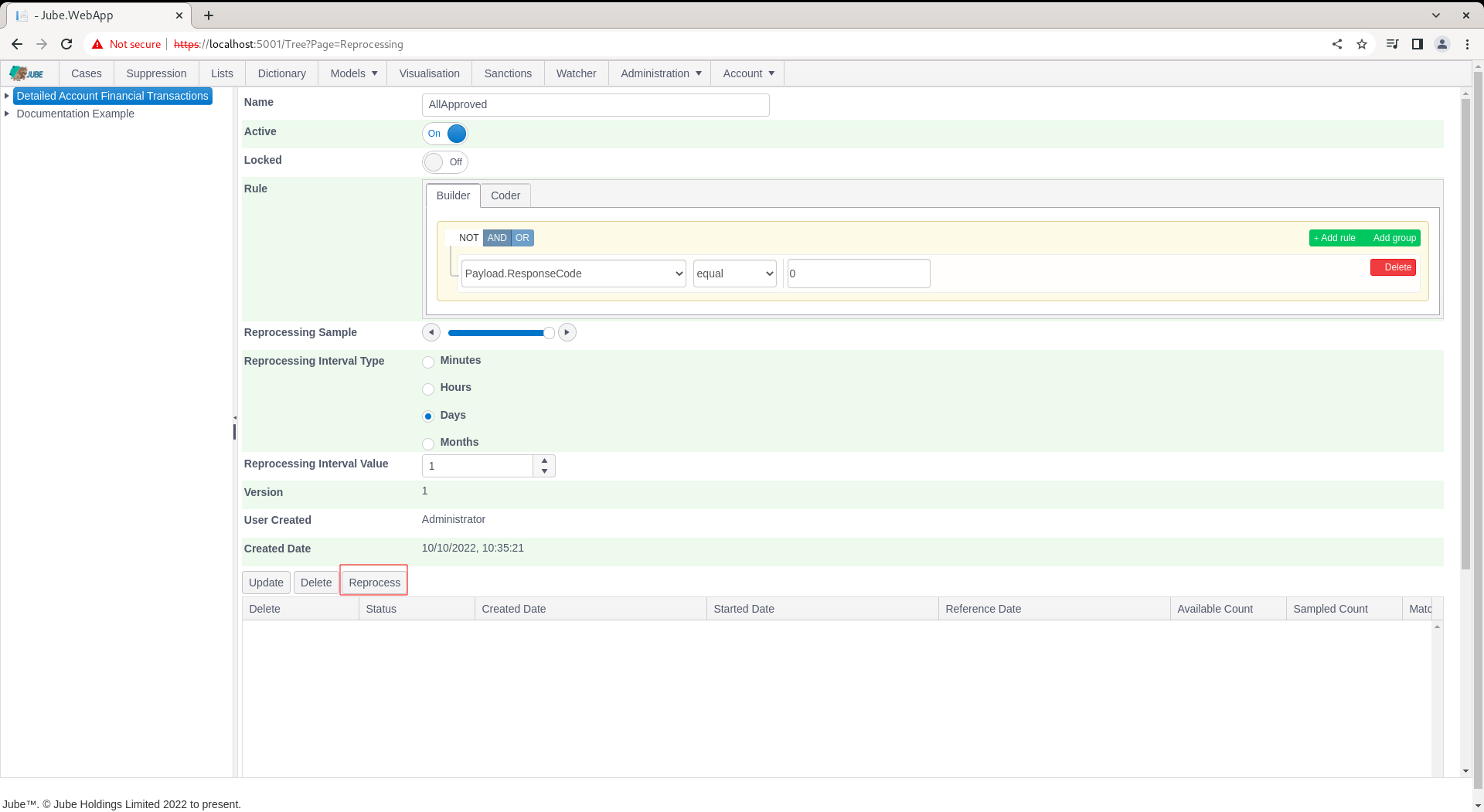
By clicking the Reprocess button, an entry will be made in the database requesting the engine perform reprocessing as per the filter specification.
Only one reprocessing request may exist at any given point in time, and a new request cannot be created until any unprocessed requests move to a completed state.
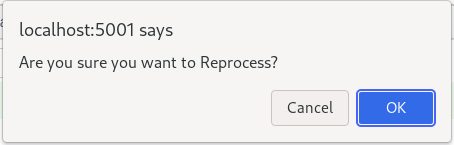
Click the Reprocess button:
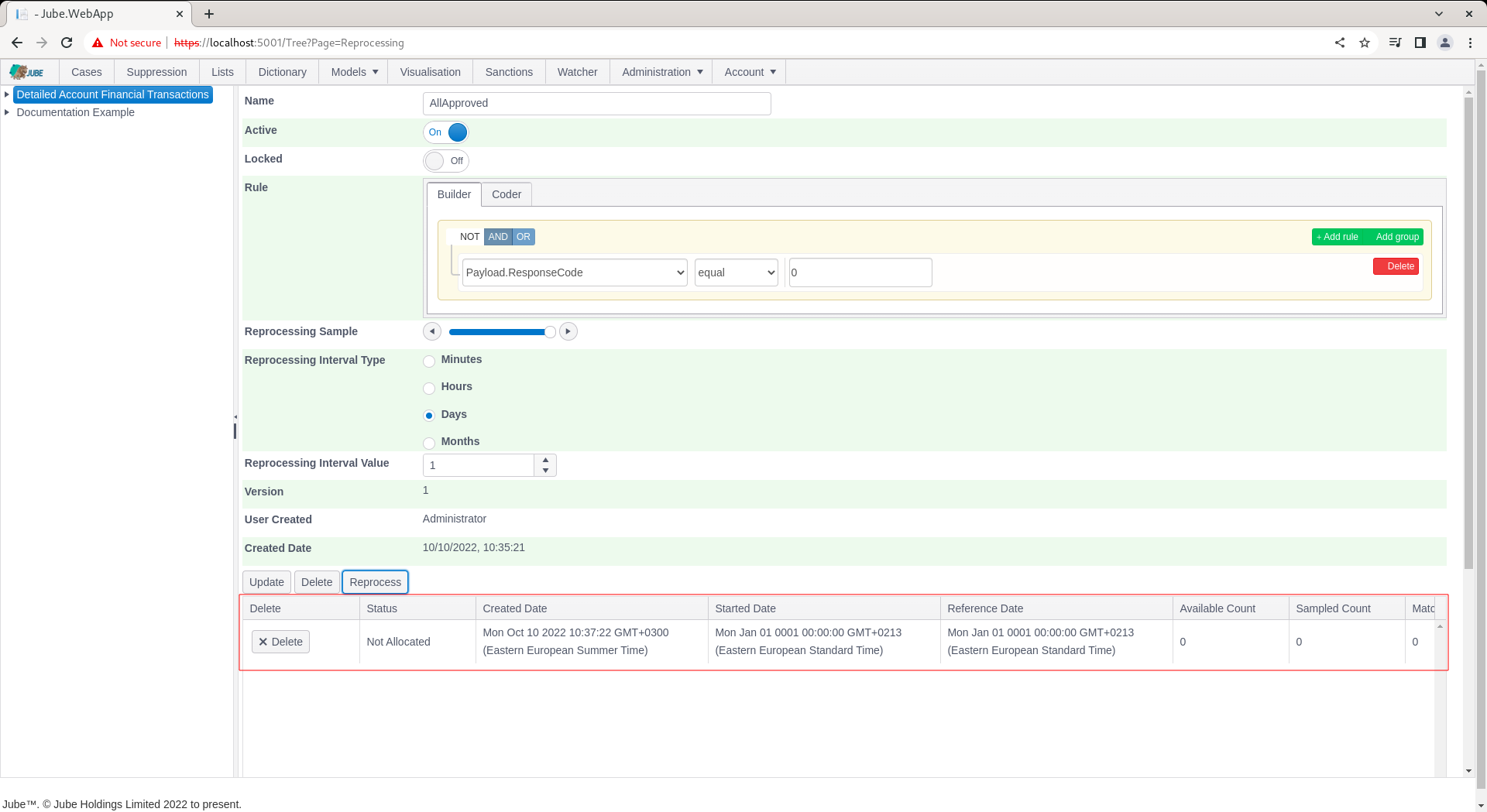
An entry will be created showing the reprocessing job request:
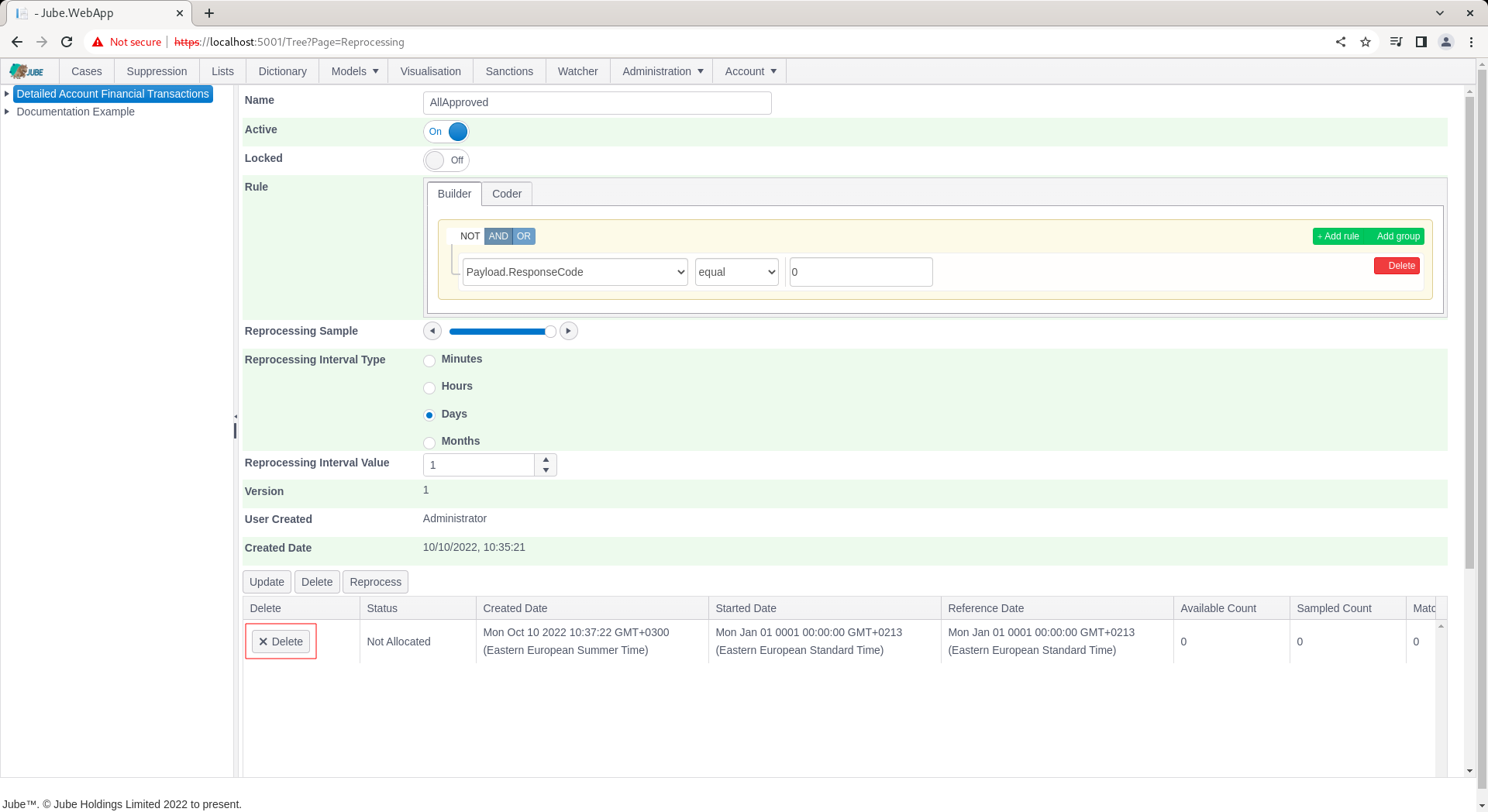
It is possible to Delete - which will also stop - a reprocessing request by clicking the Delete button:
The reprocessing job has the following processing steps:
| Name | Description |
|---|---|
| Not Allocated | The request has not been picked up by the reprocessing engine. |
| Allocated | The request has been picked up by the reprocessing engine. |
| Initial Count | The initial count has been completed, to establish created date range and universe of records. |
| Processing | The request has begun processing data. |
| Completed | The request has completed. |
| Failed | The request could not run: the filter rule does not parse or compile, or its interval is not valid. Nothing was reprocessed, and a new request can be created. |
The reprocessing instance table is available and updated as reprocessing takes place:
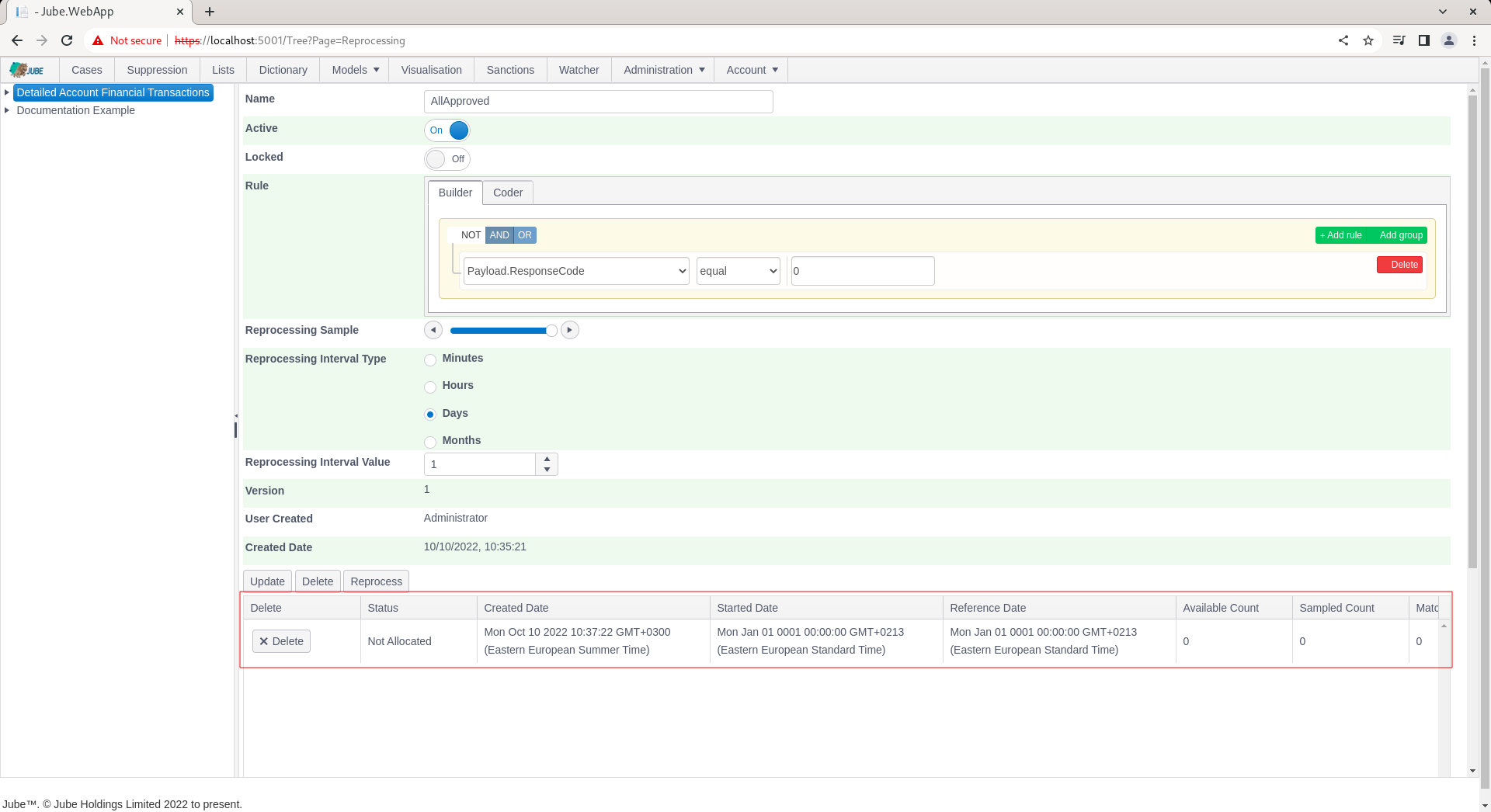
| Name | Description |
|---|---|
| Status | The current status of the reprocessing job. |
| Created Date | The date and time the reprocessing request was created. |
| Reference Date | The current date and time being processed in that moment. This is the reference date specified in the model. |
| Available Count | The total number of records in the universe as brought back during the initial counts. |
| Sampled Count | The total number of records that have been sampled for the purposes of reprocessing. |
| Matched Count | The total number of records that have been matched (after being sampled) for the purposes of reprocessing. |
| Processed Count | The total number of records reprocessed so far. |
| Completed Date | The date and time that the job completed. |
| Error Count | The number of records in error observed during reprocessing. |
Refreshing the grid by navigating again to the Reprocessing Filter (Models » Reprocessing, clicking on the Reprocessing Filter and scrolling down to the instances gird):
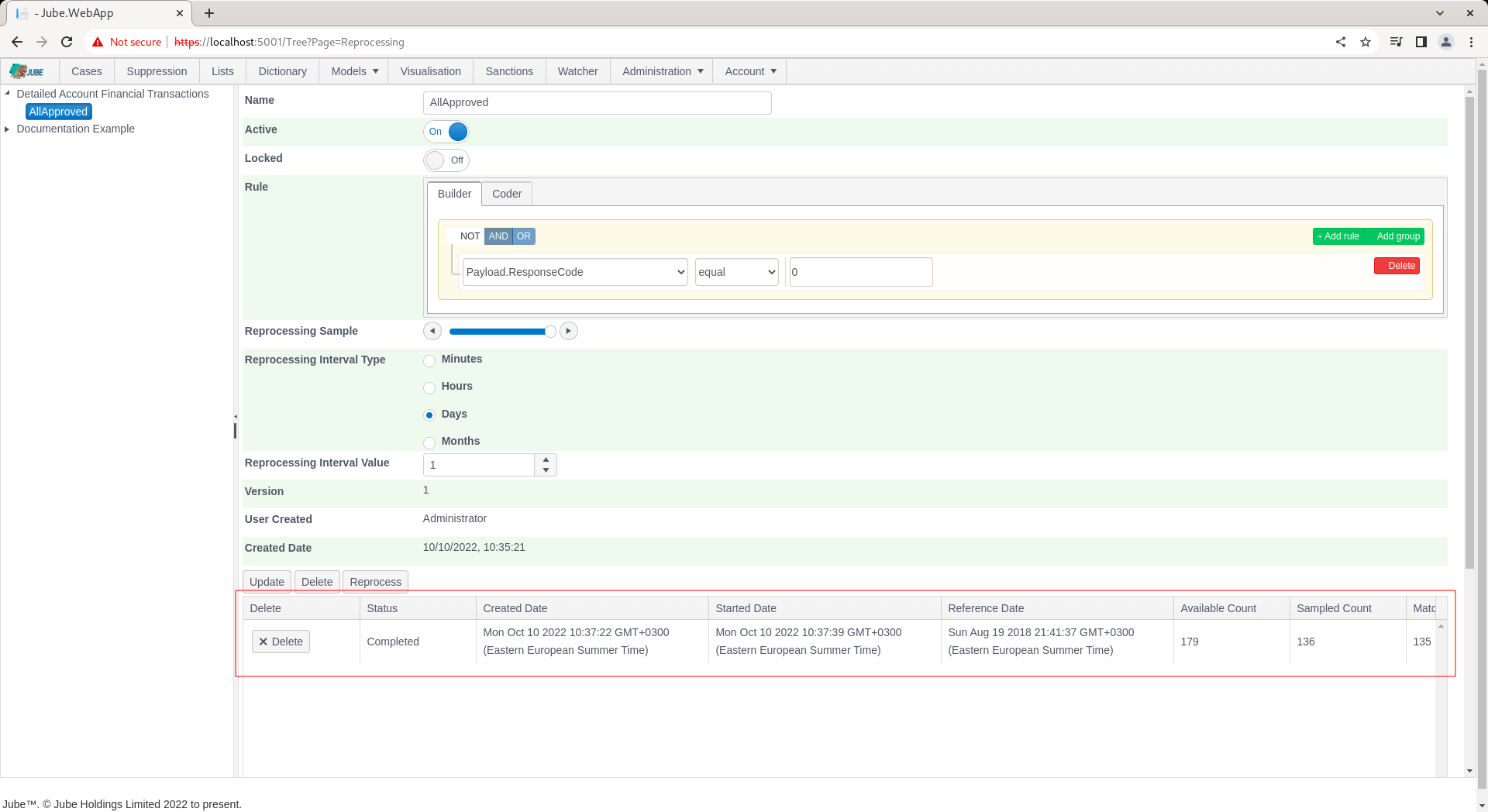
It can be seen that the reprocessing job has completed (which will allow new reprocessing jobs to be created for this reprocessing filter by simply clicking the Reprocess button).
How reprocessing reads and updates the archive
- The window. The newest reference date in the model’s archive is found, and the filter’s interval is counted back from it. Every archived record from that start up to and including the newest reference date is read.
- Records archived during the run. Only records archived before the request started are read. Transactions that arrive while reprocessing runs are not picked up, so the run has a fixed end.
- The order. Records are read oldest first, by reference date and then by entry, a page at a time (
ReprocessingBulkLimitrecords per page). Each page continues exactly after the last record of the one before, so every record in the window is read once, however many records share a reference date, and a later page is read as quickly as an early one. - The sample. The filter’s sample is a percentage: 100 considers every record, 50 about half, 0 none.
- What happens to a match. A sampled record that the filter rule matches is run through the model again. The new results of a page’s matches are then written to the archive together, in one transaction: each record is updated in place, its previous version is kept in the archive’s version history, its version is increased, and it is stamped with the reprocessing request. Only archive keys whose value changed are rewritten (with a version kept); keys the new result no longer produces are removed, for that record only, and keys that did not change are left as they are.
- The cache. Reprocessing does not change the cache. A transaction’s cached payload, its search key journals and the latest transaction for each search key value belong to the transaction as it arrived, and a re-run changes none of them, so none are rewritten; neither are the latest reference date, TTL counters or the archive write-ahead log. The only trace is the cache’s own record of which journals were read.
- Errors. A record whose filter rule or re-run fails is counted in Error Count, not in Matched Count, and the run carries on. If a page’s archive write fails, or a matched record’s archive row has been deleted in the meantime, those records are counted as errors too.
- Stopping. Deleting the request stops it within one record once the progress is next written (every 10 seconds); a deleted request stays deleted and is not marked completed.
Behaviour across volume
Jube.Tests/Volume/ReprocessingVolumeTests.cs (category Service) seeds the archive of a synchronised copy of the example model, reprocesses it with a rule that matches about 5% of records, and checks that every record is read exactly once, that exactly the matches are updated and updated once each, that every page but the last is a full page, and that memory stays bounded. It seeds 100,000 records by default, which JubeReprocessingVolumeRows raises for a deeper run.
What it deliberately does not do is assert a throughput. It is a functional test that happens to need volume to be meaningful — paging, exactly-once processing and bounded memory are only interesting over more rows than fit in one page — and a records-per-second floor measured on whatever hardware happens to be running says very little about the code. The previous floor of 2,000 records a second demonstrated the point: on a four-core runner the test recorded 741, and the test’s own stage breakdown showed why, with sanctions screening taking 34.5 ms of each of the 4,914 re-invocations. The number being measured was sanctions latency, not reprocessing throughput. Performance belongs in a suite of its own, run on hardware whose capacity is known, rather than in a correctness gate where it can only produce false alarms.
On a development machine, 1,000,000 records were read and 48,677 matches re-run and updated in 1 minute 25 seconds (about 11,800 records a second, 570 re-runs a second), in 200 pages of 5,000, with pages read in about 45 ms from first to last and the heap growing by 74 MB. Writing each match’s archive record in its own transaction took more than twice as long (3 minutes 40 seconds); writing a page’s matches together removed most of that cost.